Designing Ads for Facebook and Google
Introduction
Designing Facebook Ads
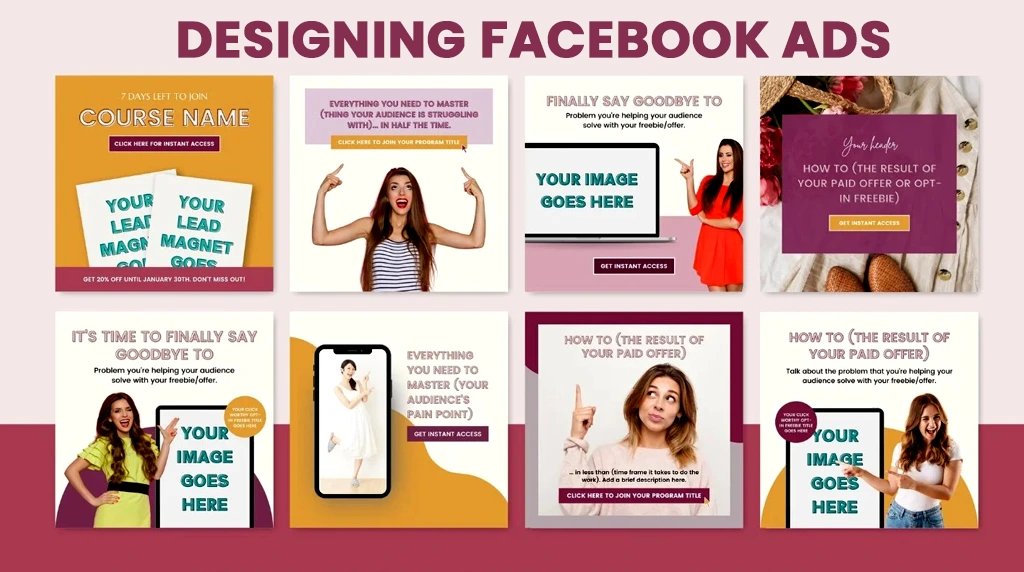

Leverage Facebook’s Powerful Targeting for Personalized Ads

Targeting is one of Facebook’s biggest advantages. You can reach people based on their interests, behaviours, and demographics. This allows for highly personalized ads. Use this to your benefit by creating content that speaks directly to your chosen audience. A strong call-to-action (CTA) like “Shop Now” or “Sign Up” encourages users to engage.
Designing Google Ads
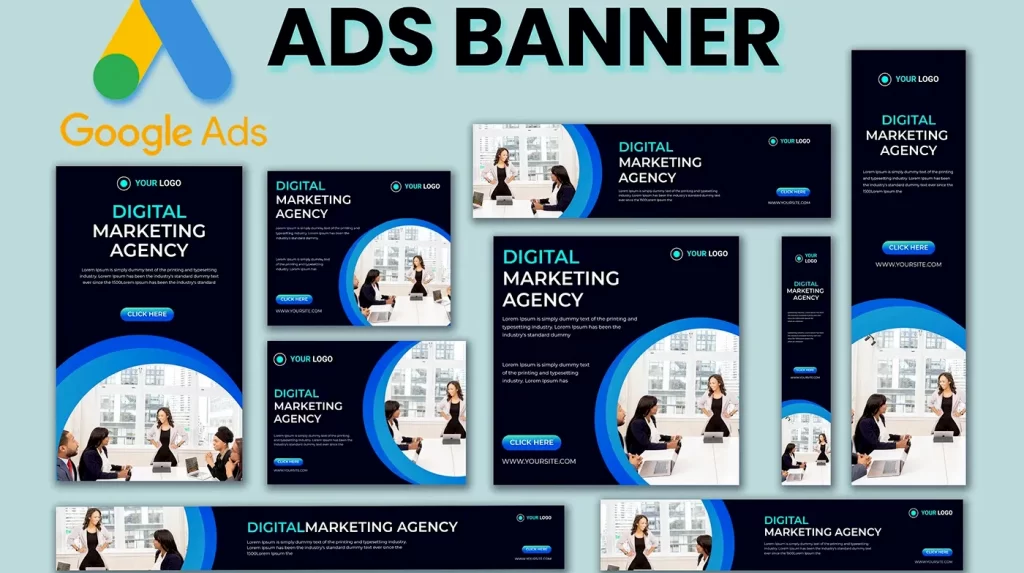
Google Ads is different because it focuses on intent. People using Google are often actively searching for something. Your ad needs to meet that need. On Google Search, well-written text ads with strong keywords are key. Your headline should grab attention and your description should highlight the benefits of what you’re offering.
Creating Effective Google Display Ads
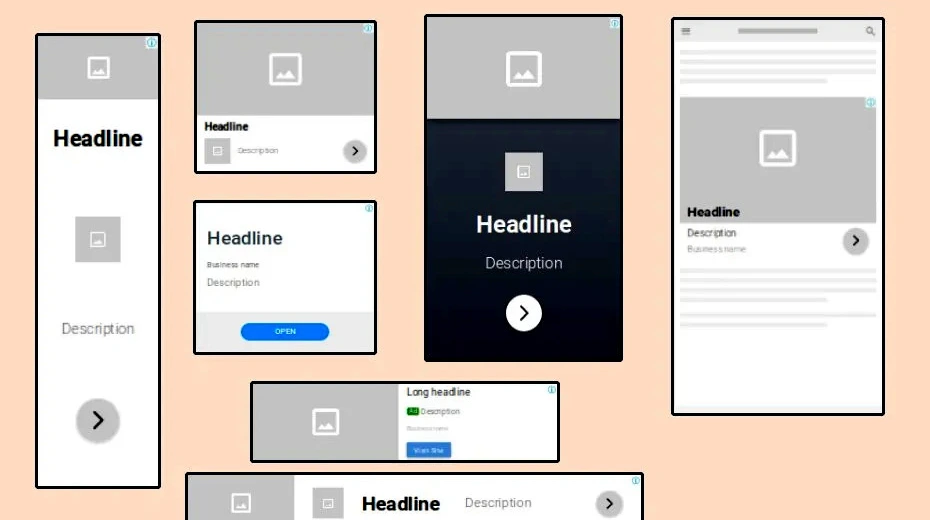
For Google Display ads, visuals matter. These ads appear across websites, apps, and YouTube. Make sure your branding is clear and your message is easy to understand at a glance. Like with Facebook, testing different versions of your ad can improve performance over time.
Conclusion
In the end, successful ads on Facebook and Google come down to understanding your audience and matching your message to the platform. With thoughtful design and regular optimization, you can achieve great results.
1. What’s the biggest design difference between Facebook ads and Google ads?
Facebook and Instagram are interruption platforms. People are scrolling for memes and reels, not looking for you. Your creative must stop the scroll in 1 second with bold visuals, human faces, motion, or a pattern interrupt. Think 1080×1350 video or carousel. Google Search ads are intent platforms. The user already typed “best CRM for small business.” Here, your copy and relevance win. Visuals only apply to Display, YouTube, and Performance Max, where you still need to match the searcher’s intent. Design rule: Facebook sells the click with emotion. Google earns the click with relevance.
2. What size and format should I use for each platform in 2026?
For Facebook and Instagram feed, prioritize 1080×1350 (4:5) vertical video under 15 seconds. Also keep a 1080×1080 square and 1080×1920 Story/Reel version. Meta now auto-adjusts placements, so 4:5 covers most. For Google, Search ads have no image but use all 15 headlines and 4 descriptions. For Display and Performance Max, upload multiple assets: 1200×1200, 1200×628, 1080×1920, plus logo variations and 30-second videos. Google’s AI mixes and matches, so give it range. Never design just one size. Under-resourced accounts lose reach.
3. How much text can I put on my ad image?
The old “20% text rule” on Facebook is gone, but performance data is not. Images with less than 20% text still get cheaper delivery and better reach. Keep the hook in the first 3 words of your primary text or video overlay. On Google Display, text in the image competes with your headline, so use visuals to show the product and let headlines do the talking. Tip: If the viewer can understand your offer with the sound off and in 3 seconds, you’re safe.
4. Should I design ads myself or hire a professional for Facebook and Google?
If budget is under ₹20,000 per month, start with Canva + native templates. Both Meta Ads Manager and Google offer free creative tools and AI variations now. Focus on testing 3 hooks and 2 visuals weekly. Above ₹50,000 per month, a designer pays for itself. Pros know platform constraints like safe zones for Reels text, YouTube end cards, and how to design Performance Max asset groups that feed the algorithm. Hybrid works best: you write the offer and angles, a designer makes them scroll-proof.
5. What’s the #1 mistake to avoid when designing for both platforms?
Using the same exact creative on both. Facebook users hate “clickbait-y” search ad copy, and Google’s system will reject overly promotional Reels-style videos on Search. Second biggest mistake: not designing for mobile first. 91% of Facebook and 68% of Google ad clicks are mobile. Check your text size on a phone, keep logos out of the bottom 20% where UI buttons sit, and compress images below 1MB so they load fast on 4G.